Sticker Shock: How Tampered QR Codes Are Turning Everyday Scans Into Payment Traps
The parking meter looks ordinary: gray casing, faded instructions, a QR code square near the coin slot. A driver in a hurry scans it, lands on a payment page that looks close enough to the city's, and enters a card number. The page may even show a countdown. By the time the driver walks away, the payment has gone to someone who never owned a meter.
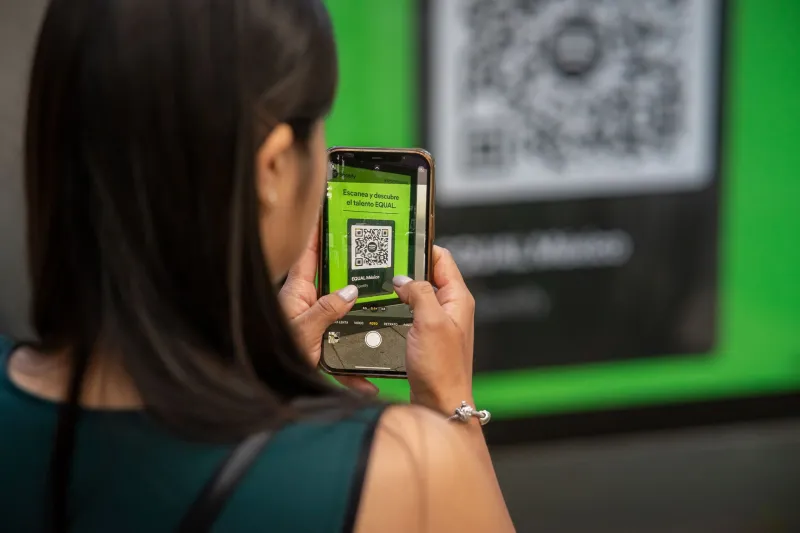
QR-code phishing, often called quishing, has moved from email attachments into the physical world. A code printed on a sticker can be placed over a legitimate one in seconds. The original is usually small, the replacement can match the surrounding design, and the person scanning has no easy way to know that the square in front of them is not the one the venue installed. In 2026, the scam is no longer exotic. It appears on parking meters, restaurant tables, package delivery notices, public transit signs, and electric-vehicle charging stations.
A Sticker Is All It Takes
Physical QR codes are attractive to criminals because they exploit a trusted habit. People have been trained to point a phone at a square and expect a useful result. The code itself is just a pattern that encodes a link. It does not carry a seal, a signature, or a visible domain name. A sticker placed over a menu code can send diners to a fake payment page. A notice on a door can send a homeowner to a site that asks for a redelivery fee. A meter can send a driver to a page that looks like a municipal payment portal but is controlled by someone else.
The attack does not require technical sophistication. It requires access to a public surface and a printer. That is why local governments and businesses are being urged to treat QR codes as part of their physical security, not just their marketing.
Why the Phone Does Not Always Warn You
Modern phones often show a preview of the link before opening it. That feature is useful, but it is easy to ignore. A hurried user sees a recognizable logo on the page and taps through. The URL may be shortened, may use a lookalike domain, or may include a long string of characters that obscures the real destination. Some fake pages are designed to load quickly and ask for payment details before the user has time to inspect anything.
The problem is compounded by the setting. A parking meter is not a place where people stop to analyze a domain name. A restaurant menu is not a security briefing. The scam works because it arrives in moments when attention is elsewhere.
Check Before You Tap
Consumers do not need to become URL experts, but a few habits reduce the risk. First, inspect the code itself. A sticker, a raised edge, a misaligned square, or a code that peels at the corner is a warning. If the code is on a meter, menu, or notice, compare it with an official app, a printed website, or a phone number nearby. If the venue has a native app, use it instead of the code.
Second, pause at the preview. Look at the domain, not the page title. A link that goes through a shortener, a misspelled city domain, or a URL that has nothing to do with the organization is a reason to stop. If the page asks for card details immediately, close it and navigate to the official site or app yourself.
Third, be skeptical of urgency. A QR code that leads to a page demanding immediate payment to avoid a fine, a tow, or a missed delivery is using the same pressure tactics as email phishing. Legitimate organizations may send reminders, but they rarely require payment through a newly scanned code with no other verification.
What Cities and Businesses Should Do
Public agencies and businesses can make quishing harder. They can use tamper-evident signs, place codes behind clear covers, check them during routine maintenance, and publish the official domain in plain text next to the code. Staff should know how to report a suspicious sticker. Organizations that rely on QR codes for payments should offer an alternative, such as a dedicated app, a text-message link, or a staffed payment window.
Local governments also have a role in public awareness. A short notice on a meter or a menu explaining that the city will never ask for payment through a third-party code can help. The goal is not to ban QR codes. It is to stop treating them as self-authenticating.
The Takeaway
A QR code is a shortcut, not a trust signal. It is a link that happens to be printed on a surface. Treat every physical code as a message from a stranger until you can see where it goes. If the destination is unclear, the safest move is to close the scanner and reach the organization through a channel you already trust.